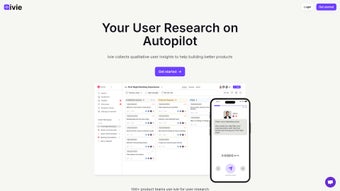

Download Ivie – AI‑Driven User Research Tool for Qualitative Insights
Overview
Ivie is a cutting‑edge, AI‑powered web application that redefines how product teams gather and interpret qualitative user feedback. Built for modern product development cycles, Ivie transforms raw conversation data—whether it comes from surveys, interview transcripts, or A/B‑test comments—into structured, actionable insights that align with established product frameworks such as Jobs‑to‑Be‑Done, HEART, and the Kano model. The platform’s subscription‑based model offers a secure, encrypted environment for storing sensitive user data, ensuring compliance with privacy regulations while giving teams the confidence to explore deep user sentiment without fear of data leakage.
What truly sets Ivie apart is its blend of automation and flexibility. The AI engine automatically tags, clusters, and prioritizes feedback, but users retain full control through customizable views and segmentation options. Whether you need a quick snapshot of customer satisfaction scores or a detailed thematic analysis for a new feature rollout, Ivie scales to meet the demand. The tool also supports multiple research formats—including customer satisfaction surveys, usability tests, and post‑release A/B testing—making it a versatile addition to any research toolkit.
The user experience is designed for speed. With a simple sign‑up process, teams can start importing data within minutes. Integration points allow you to embed Ivie links directly into apps or email campaigns, inviting participants to contribute feedback without leaving the product ecosystem. Security is baked in: all data is encrypted both in transit and at rest, and Ivie adheres to GDPR, CCPA, and ISO‑27001 standards. For businesses seeking a reliable, AI‑enhanced solution to turn qualitative data into strategic product decisions, Ivie offers a compelling blend of intelligence, ease‑of‑use, and data protection.
In addition to its core capabilities, Ivie provides an extensive library of pre‑built analytics templates that help new users get up to speed quickly. These templates cover common research scenarios such as feature prioritization, churn analysis, and sentiment tracking. By leveraging these templates, teams can reduce the time spent on setup and focus on interpreting results. The platform’s intuitive drag‑and‑drop interface means that even non‑technical stakeholders can build dashboards, share insights, and collaborate in real time, fostering a data‑driven culture across the organization.
Overall, Ivie positions itself as a secure, AI‑first research hub that bridges the gap between raw qualitative input and actionable product strategy. Its combination of automated processing, framework alignment, and robust compliance makes it an attractive choice for startups, mid‑size companies, and enterprise‑level product organizations alike.
Key Features
- AI‑Driven Transcription & Tagging: Automatic conversion of audio/video sessions into searchable text with contextual tags.
- Framework Alignment: Maps insights to popular product frameworks (Jobs‑to‑Be‑Done, HEART, Kano) for instant strategic relevance.
- Customizable Dashboards: Drag‑and‑drop widgets let you build views that highlight the metrics that matter most.
- Multi‑Channel Data Capture: Supports surveys, interview notes, chat logs, and A/B testing comments in a single repository.
- Segmentation & Personas: Slice data by demographics, behavior, or product usage to uncover hidden patterns.
- Secure Collaboration: Role‑based access controls and end‑to‑end encryption keep sensitive feedback safe.
- Export & API Access: Download insights in CSV, JSON, or PDF, and integrate with JIRA, Trello, or custom pipelines via RESTful API.
- Real‑Time Updates: New feedback is processed instantly, so dashboards stay current throughout research cycles.
- Insight Summaries with Original Transcripts: Each AI‑generated insight is linked back to its source, preserving context.
- Multi‑Language Support: Built‑in language detection and translation enable global research without extra tools.
The feature set is designed to reduce manual effort while increasing analytical depth. By automating repetitive tasks such as transcription, tagging, and clustering, Ivie frees researchers to focus on hypothesis generation and decision‑making. The integration capabilities also mean you can keep Ivie as a central hub while still feeding data into existing project management or analytics stacks, preserving your organization’s workflow continuity.
Each feature has been engineered with scalability in mind. For example, the AI‑driven transcription engine leverages cloud‑based speech‑to‑text services that can handle thousands of hours of audio per day, ensuring that even large enterprises can process massive volumes of user interviews without bottlenecks. The framework alignment module not only maps insights to pre‑defined categories but also learns from user corrections, continuously improving its accuracy over time.
Security is woven throughout every feature. Role‑based access controls let administrators define granular permissions, while end‑to‑end encryption guarantees that data remains private at every stage. Export options respect these permissions, ensuring that only authorized users can extract sensitive information. Additionally, the multi‑language support includes automatic language detection, which reduces the risk of misclassification in multilingual research projects.
In practice, teams report that Ivie’s feature suite reduces the average time spent on qualitative analysis from weeks to days. The combination of AI automation, robust security, and seamless integration creates a powerful research environment that scales with the needs of modern product organizations.
Installation & Usage Instructions
Getting Started
Ivie is a cloud‑native SaaS product, so there is no traditional “installation” on local machines. To begin, navigate to ivie.com/signup and create an account using your corporate email. The onboarding wizard guides you through three essential steps: (1) selecting a subscription tier, (2) configuring your first research project, and (3) inviting team members with appropriate roles (Admin, Analyst, Viewer). Within minutes you’ll have a secure workspace ready for data ingestion.
Importing Data
Once inside the dashboard, click the “Add Data” button. Ivie accepts CSV files, Google Forms links, and direct uploads from popular transcription services (Otter.ai, Rev.com). For real‑time collection, generate a unique feedback URL that can be embedded in your app or emailed to participants. The AI engine begins processing as soon as the data lands in the system, delivering instant tagging and sentiment analysis. Bulk import tools also allow you to upload entire interview archives, with progress bars that keep you informed of processing status.
Creating a Research Framework
Choose a framework from the “Framework Library” panel. For example, selecting “Jobs‑to‑Be‑Done” automatically creates columns for “Job Statement,” “Outcome,” and “Importance.” Drag your imported data into these columns, and Ivie’s AI will suggest categorizations based on content similarity. You can fine‑tune the suggestions by approving or rejecting AI tags, which also improves future model accuracy. Custom frameworks can be built from scratch, letting you tailor the analysis to niche methodologies used by your organization.
Analyzing & Sharing Insights
The “Insights” tab presents a visual summary: word clouds, sentiment heatmaps, and trend lines. Click any insight to view the original transcript snippet, preserving context for stakeholders. Export options let you download a PDF report or push the data to a shared Slack channel via a webhook. For ongoing projects, set up automated email digests that deliver weekly insight snapshots to product owners and designers. You can also embed live dashboards into Confluence or Notion pages using simple iframe code, ensuring that decision‑makers always see the latest findings.
Support, Updates & Training
Ivie follows a continuous deployment model. New AI models and UI enhancements roll out automatically, so you always work with the latest capabilities. If you encounter any issues, the “Help Center” offers searchable articles, video tutorials, and a live chat window staffed by product‑focused support engineers. Subscription plans also include quarterly training webinars that keep your team sharp on best practices, as well as a dedicated customer success manager for Enterprise customers.
By adhering to a straightforward, cloud‑first workflow, Ivie eliminates the friction traditionally associated with qualitative research tools. The result is a faster, more collaborative, and more secure process that lets product teams focus on turning insights into action rather than wrestling with data wrangling.
Conclusion, Compatibility, Pros & Cons, and FAQ
Compatibility
Because Ivie runs entirely in the browser, it is compatible with any modern operating system that supports Chrome, Edge, Firefox, or Safari. The platform is fully responsive, delivering the same experience on Windows 10/11, macOS Ventura, Linux distributions, as well as mobile browsers on Android 8+ and iOS 13+. For teams that prefer a desktop client, Ivie offers optional Electron‑based wrappers for Windows and macOS, which still rely on the cloud backend for processing.
Pros
- AI automation dramatically cuts manual coding time.
- Framework‑aligned insights accelerate strategic decision‑making.
- Robust security and compliance (GDPR, CCPA, ISO‑27001).
- Seamless integration with project‑management and analytics tools.
- Multi‑language support expands global research capabilities.
- Real‑time processing keeps dashboards up‑to‑date.
- Customizable dashboards adapt to any team’s workflow.
- Extensive export options and API access for data portability.
Cons
- Subscription pricing may be high for very small startups.
- Learning curve for advanced framework customization.
- Reliance on internet connectivity; offline mode is limited.
- Initial onboarding requires some time to map existing data sources.
Frequently Asked Questions
Is my data really encrypted?
Yes. All data is encrypted with AES‑256 both in transit (TLS 1.3) and at rest. Ivie also offers optional client‑side encryption for ultra‑sensitive projects.
Can I export raw transcripts?
Absolutely. The Export feature lets you download original transcripts, AI‑generated tags, and summary reports in CSV, JSON, or PDF formats.
Does Ivie integrate with JIRA?
Yes. Using the native JIRA connector, you can push insights directly into tickets, automatically creating stories or bug reports based on user feedback.
What subscription plans are available?
Ivie offers three tiers: Starter (up to 5 users, 10,000 feedback entries/month), Professional (up to 25 users, unlimited entries, API access), and Enterprise (custom users, dedicated support, on‑premise options). All plans include a 14‑day free trial.
Can I use Ivie for remote usability testing?
Yes. The platform accepts video recordings, screen captures, and live chat logs, converting them into searchable insights alongside survey data.
Final Thoughts & Call to Action
Ivie delivers a powerful blend of AI automation, framework‑based analysis, and robust security, making it a top choice for product teams that need to turn qualitative feedback into concrete product decisions quickly. While the pricing may be a consideration for early‑stage startups, the time saved on manual coding and the depth of insight gained often justify the investment. The platform’s browser‑based architecture ensures that teams can collaborate from any device, and the extensive integration ecosystem means Ivie can slot seamlessly into existing workflows.
If you’re ready to elevate your user research process, now is the perfect time to experience Ivie’s capabilities firsthand. Start your 14‑day free trial, explore the AI‑driven insights, and see how quickly you can move from raw conversation to an actionable roadmap. Join the growing community of product innovators who rely on secure, intelligent research tools to build better experiences.
Download Ivie now and begin transforming qualitative data into strategic product value today.



.png)



